Military Time for Payroll: Conversion Chart & Guide | MyShiftCalc
In the intricate world of payroll, precision is paramount. Every minute counts, directly impacting employee compensation, financial records, and regulatory compliance. One often-underestimated tool for enhancing this precision is military time. While it might seem unfamiliar at first glance, adopting a 24-hour clock system can significantly reduce errors, streamline timekeeping, and simplify complex payroll calculations. This guide will explore the benefits of military time for payroll and introduce MyShiftCalc as your indispensable partner in accurate time management.
Understanding Military Time
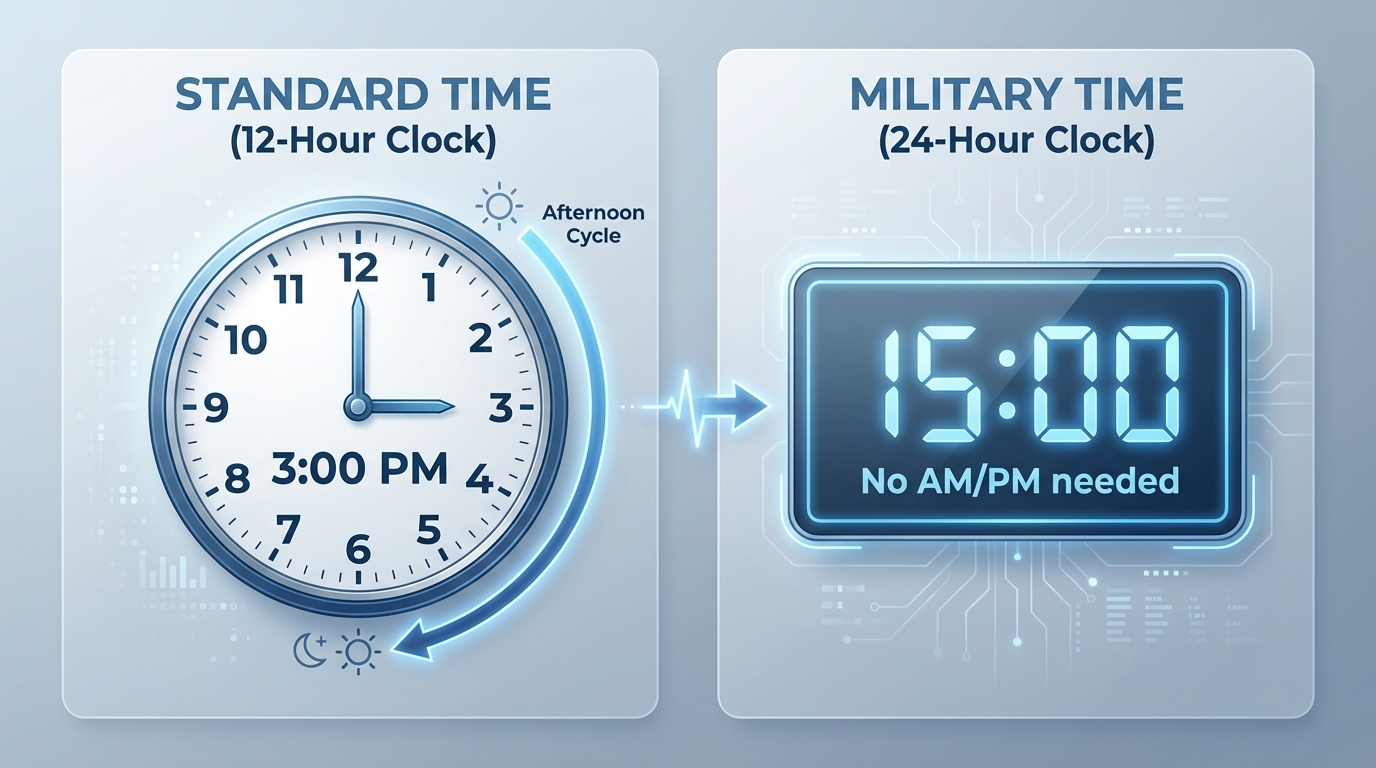
Military time, also known as the 24-hour clock, is a timekeeping system where the day runs from midnight to midnight and is divided into 24 hours. Unlike the 12-hour AM/PM format, military time uses a sequential numbering system from 00:00 to 23:59. This eliminates the ambiguity between AM and PM, making time entries clearer and less prone to misinterpretation.
- 00:00 (or 2400) signifies midnight.
- 12:00 signifies noon.
- Hours after noon (1 PM onwards) are simply 12 plus the hour (e.g., 1 PM is 13:00, 5 PM is 17:00, 11 PM is 23:00).
Why Military Time is Essential for Payroll
For HR and payroll professionals, the advantages of military time extend far beyond mere simplicity:
- Enhanced Accuracy: The clear, unambiguous nature of the 24-hour clock virtually eliminates confusion between AM and PM entries, especially crucial for shifts that span midnight.
- Reduced Errors: Fewer interpretation errors lead to more accurate time cards, minimizing the need for manual corrections, recalculations, and potential pay disputes.
- Streamlined Data Entry: A consistent 24-hour format simplifies data input into payroll systems and time clocks, reducing processing time.
- Simplified Overnight Shift Calculations: Calculating hours for employees working from, say, 9 PM to 5 AM becomes straightforward with military time (21:00 to 05:00 the next day), avoiding the need to manually account for day changes.
- Global Standardization: Many international businesses and systems default to military time, making it a valuable standard for organizations with diverse workforces.
Military Time Conversion Guide for Payroll
Converting between standard and military time is straightforward. Here’s a quick guide:
Standard to Military Time:
- For AM hours (12 AM to 12:59 PM): For 12 AM, use 00:00. For 1 AM to 9 AM, add a leading zero (e.g., 1 AM = 0100). For 10 AM and 11 AM, no change (e.g., 10 AM = 1000). 12 PM (noon) is 1200.
- For PM hours (1 PM to 11:59 PM): Add 12 to the standard hour (e.g., 1 PM + 12 = 1300, 5 PM + 12 = 1700, 11 PM + 12 = 2300).
Military to Standard Time:
- For 0000: This is 12 AM (midnight).
- For 0100 to 1159: These are AM hours. Simply remove any leading zero (e.g., 0500 = 5 AM, 1100 = 11 AM).
- For 1200: This is 12 PM (noon).
- For 1300 to 2359: Subtract 12 from the military hour to get the PM hour (e.g., 1300 - 12 = 1 PM, 1700 - 12 = 5 PM).
How MyShiftCalc Simplifies Military Time for Payroll
MyShiftCalc is an intuitive online tool designed to remove the complexities of time card calculations, especially when dealing with military time. It acts as a bridge, allowing your team to input time in a familiar format while converting it accurately for payroll, or directly using military time for precise calculations. MyShiftCalc helps HR and payroll professionals ensure that every minute of an employee's time is accounted for correctly, reducing the risk of errors and boosting efficiency.
How to Use MyShiftCalc for Military Time Conversions and Payroll Calculations
Using MyShiftCalc to manage military time for payroll is straightforward and user-friendly:
- Input Time Entries: Employees or managers can enter start and end times in either standard (AM/PM) or military time format, depending on your organization's preference. MyShiftCalc offers the flexibility to accommodate both.
- Specify Breaks: Accurately log unpaid break times to ensure these hours are deducted from total work hours, a crucial step for compliance.
- Automated Conversion: If standard time is entered, MyShiftCalc can automatically convert it to its military time equivalent for internal processing, ensuring consistent data.
- Calculate Total Hours: The tool instantly calculates the total hours worked for each shift, taking into account breaks and overnight transitions.
- Review and Export: Review the calculated hours, make any necessary adjustments, and easily export the data for integration with your payroll system.
State Laws and Payroll Compliance
While military time itself is a time-telling format and not a legal requirement, accurate timekeeping is a cornerstone of federal and state labor laws. The Fair Labor Standards Act (FLSA) mandates that employers accurately track all hours worked for non-exempt employees. Many states also have specific laws regarding:
- Meal and Rest Breaks: Rules on the duration and timing of breaks can vary significantly by state.
- Overtime Eligibility: Beyond federal FLSA rules for hours over 40 in a workweek, some states have daily overtime requirements (e.g., California).
- Record Keeping: Employers are generally required to maintain accurate time records for several years.
By leveraging military time and tools like MyShiftCalc, organizations can significantly improve the accuracy of their time records, thereby bolstering their compliance posture against these complex state and federal regulations. MyShiftCalc helps ensure that total hours are precisely calculated, forming a reliable basis for payroll processing and compliance audits.
Formulas Used in Time Calculation
MyShiftCalc automates the complex formulas necessary for precise payroll calculations, typically involving:
- Total Work Hours: (End Time - Start Time) - Total Break Time. For shifts spanning midnight, the end time is treated as occurring on the subsequent day. For example, 21:00 (9 PM) to 05:00 (5 AM) the next day would be 24:00 - 21:00 + 05:00 = 8 hours.
- Decimal Conversion of Minutes: Since payroll often requires hours in decimal format, minutes are converted by dividing them by 60. For instance, 30 minutes is 30 / 60 = 0.5 hours. A shift of 8 hours and 45 minutes would be 8 + (45 / 60) = 8.75 hours.
- Overtime Calculation: Automatically identifies and separates regular hours from overtime hours based on predefined rules (e.g., hours over 40 in a week, or over 8/12 in a day depending on state law).
MyShiftCalc handles these calculations seamlessly, minimizing the need for manual spreadsheets and reducing human error that can arise from complex arithmetic.
Conclusion
Embracing military time for payroll is a strategic move towards greater accuracy, efficiency, and compliance. It simplifies time tracking, especially for diverse shift patterns, and significantly reduces the potential for costly errors. With MyShiftCalc, you gain a powerful ally in this endeavor, providing an intuitive platform for precise time conversions and payroll calculations. Elevate your payroll processes and ensure every employee is paid accurately, every time.