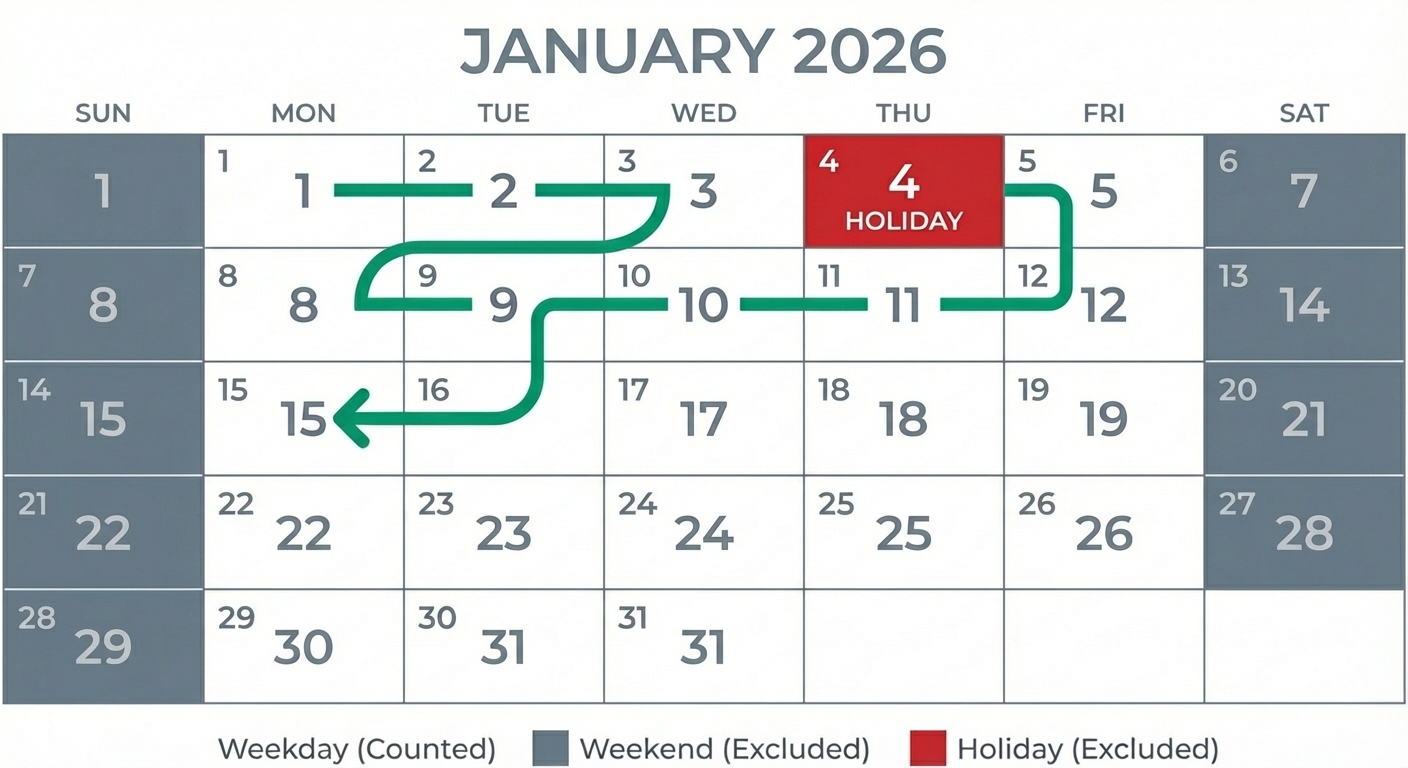
Business Days are Monday–Friday, excluding weekends and official holidays.
The Formula: Total Days - (Weekends) - (Holidays) = Business Days.
Excel Tip: Use the function =NETWORKDAYS() to automate this instantly.
US vs Canada: Remember that holidays differ (e.g., Thanksgiving is October in Canada, November in the US).
Whether you are calculating a project deadline, an invoice due date, or a shipping estimate, knowing the exact number of "Business Days" is critical. A simple calendar count will result in missed deadlines.
Business days exclude Saturdays, Sundays, and Government Holidays.
The Manual Formula
To calculate business days manually, you follow a subtraction method:
Count Total Days: Count every day between Start Date and End Date.
Subtract Weekends: Remove all Saturdays and Sundays.
Subtract Holidays: Remove any federal/statutory holidays that fall on a weekday.
Example: 2-Week Project
If a project runs from July 1 to July 14:
Total Days: 14
Weekends: -4 days (2 Saturdays, 2 Sundays)
Holidays: -1 day (July 4th Independence Day)
Business Days: 9
Common Holidays (US vs. Canada)
The biggest source of error is forgetting holidays, especially if you work with cross-border teams.
Holiday
United States 🇺🇸
Canada 🇨🇦
Thanksgiving
4th Thursday in Nov
2nd Monday in Oct
Labor Day
1st Monday in Sept
1st Monday in Sept
National Day
July 4 (Independence)
July 1 (Canada Day)
Victoria/Memorial
Last Mon in May
Mon before May 25
How to do it in Excel
Excel has a built-in function that does this instantly. It is called NETWORKDAYS.
=NETWORKDAYS(Start_Date, End_Date, [Holidays])
Note: You must create a separate list of holiday dates in your spreadsheet and select them for the [Holidays] part of the formula.
The Faster Way
Don't want to build a spreadsheet? Use our free calculator. It automatically knows the holidays for both the US and Canada for 2025 and beyond.
When calculating, you must decide if the deadline day counts as a work day. Our calculator lets you toggle "Include End Date" on or off to suit your contract needs.
How many business days are in a month?
On average, a month has 21 business days. However, months like February may have as few as 19, while others have 23.
Do Saturdays count as business days?
Standard business days are Monday–Friday. However, industries like retail or real estate often consider Saturday a working day.
In the fast-paced world of business, precision is paramount. From payroll deadlines and contract agreements to legal notice periods and project timelines, accurately calculating "business days" is a critical task for HR professionals, payroll specialists, legal teams, and business owners alike. Misinterpreting this seemingly simple term can lead to costly compliance failures, missed deadlines, financial penalties, and even legal disputes. Fortunately, tools like MyShiftCalc’s Business Days Calculator simplify this complex process, ensuring accuracy and peace of mind.
Understanding Business Days
At its core, a "business day" typically refers to any day of the week that is not a Saturday, Sunday, or a public holiday. Most commonly, this means Monday through Friday. However, the definition can become nuanced depending on various factors, including federal and state laws, specific industry practices, and even local ordinances. The key challenge lies in consistently identifying and excluding non-business days to arrive at an accurate count.
Why Accurate Business Day Calculation Matters
Payroll & HR Compliance:
Pay Periods: Calculating the exact number of working days in a pay period, especially for hourly employees or those with complex schedules.
Notice Periods: Adhering to legal requirements for employee terminations, FMLA notices, or WARN Act compliance, which often specify "business days."
Employee Benefits: Administering health insurance enrollment deadlines, 401(k) contribution schedules, or other time-sensitive benefit processes.
Leave Management: Accurately tracking sick leave, vacation, and other forms of time off in line with policy and legal mandates.
Legal & Contractual Obligations:
Contract Deadlines: Ensuring timely submission of proposals, contract reviews, and closing dates specified in "business days."
Statutory Response Times: Complying with legal requirements for responding to subpoenas, information requests, or court orders.
Regulatory Filings: Meeting deadlines for tax filings, industry-specific reports, or other government submissions.
Financial Operations:
Invoice Due Dates: Setting clear and enforceable payment terms for vendors and clients.
Loan Repayments: Calculating interest accrual and payment schedules based on business days.
Project Management & Customer Service:
Project Milestones: Defining realistic project timelines and delivery dates.
Service Level Agreements (SLAs): Meeting commitments for customer support response times or service delivery.
MyShiftCalc's Business Days Calculator: Your Essential Tool
MyShiftCalc's Business Days Calculator is designed to eliminate the guesswork and potential for error in your day-to-day operations. This intuitive tool provides rapid and precise calculations, allowing you to confidently determine the exact number of business days between two dates, or to find a future date by adding a specific number of business days, while taking into account weekends and customizable holidays.
How to Use MyShiftCalc's Business Days Calculator
Using the MyShiftCalc tool is straightforward, guiding you through the process with clear options:
Input Your Dates:
Start Date: Select the initial date for your calculation.
End Date: If you're calculating days between two points, enter the final date.
Or, Number of Business Days: If you need to find a future date, input the number of business days you wish to add to your start date.
Specify Weekend Exclusion: The tool will default to excluding Saturdays and Sundays. Confirm this or adjust if your definition of a "weekend" differs (though rare for business day calculations).
Select Relevant Holidays:
This is a critical feature. MyShiftCalc allows you to:
Choose from pre-defined lists of Federal holidays.
Select specific State holidays relevant to your jurisdiction.
Add custom holidays (e.g., company-specific closure days, local observances) that should also be excluded from the business day count.
Click "Calculate": Instantly receive your accurate business day count or target date.
Review Results: The tool often provides a detailed breakdown, showing which days were excluded (weekends, holidays) for full transparency.
The Nuance of State Laws and Local Ordinances
While federal holidays are generally consistent across the U.S., the definition and observance of "business days" can diverge significantly at the state and local levels. This is a critical consideration for any organization operating across multiple jurisdictions or with employees in different states.
State-Specific Holidays: Many states recognize additional holidays beyond the federal list (e.g., Patriot's Day in Massachusetts, Mardi Gras in Louisiana). These state holidays may or may not be observed by private businesses, but governmental agencies and courts often close, impacting legal and compliance deadlines.
Statutory Definitions: Some state statutes or consumer protection laws may explicitly define "business days" in a way that differs from the common understanding for specific contexts. For example, a state's Department of Labor might define "business days" for unemployment benefit processing differently than a court defines it for a legal filing deadline.
Local Government Closures: Extreme weather events, public safety concerns, or local elections can lead to municipal or county government closures. While these might not legally extend private business deadlines, they can impact the ability to conduct official business with local authorities.
Industry-Specific Rules: Certain industries (e.g., finance, real estate) may have their own regulatory bodies or trade associations that define "business days" specific to their operations, often influenced by banking holidays.
MyShiftCalc addresses this complexity by allowing users to add custom holidays and select state-specific observances, helping businesses tailor their calculations to the precise legal and operational context.
Formulas Used in Business Day Calculations
Behind the user-friendly interface of MyShiftCalc, a robust logic governs the accurate calculation of business days. The process typically involves several sequential steps:
Determine Total Days: The first step is to calculate the total number of calendar days between the Start Date and the End Date (inclusive). This is generally End Date - Start Date + 1.
Exclude Weekends:
The system then iterates through each day within this total period.
For every day identified as a Saturday or Sunday, a weekend_count is incremented.
Exclude Holidays:
A comprehensive list of user-selected Federal, State, and custom holidays is maintained.
The system checks each day in the calculated period against this holiday list.
If a day is found to be a holiday AND it is NOT already a weekend day (to avoid double-counting days like Christmas falling on a Saturday), a holiday_count is incremented.
Final Calculation:
The accurate number of business days is then determined by subtracting the total weekend_count and holiday_count from the initial total_days.
Business Days = Total Days - Weekend Count - Holiday Count
This systematic approach, robustly implemented in tools like MyShiftCalc, ensures that all relevant non-business days are meticulously accounted for, providing an accurate and reliable result every time.
Conclusion
Navigating the intricacies of business day calculations doesn't have to be a source of stress or error. With the right tools and a clear understanding of the underlying principles, businesses can ensure compliance, maintain efficiency, and avoid costly mistakes. MyShiftCalc's Business Days Calculator offers a powerful, accurate, and customizable solution for HR, payroll, legal, and operational teams, empowering them to manage deadlines with confidence. Streamline your processes and ensure precision – try MyShiftCalc's Business Days Calculator today.