How to Convert Minutes to Decimals for ADP (2025 Guide) | MyShiftCalc
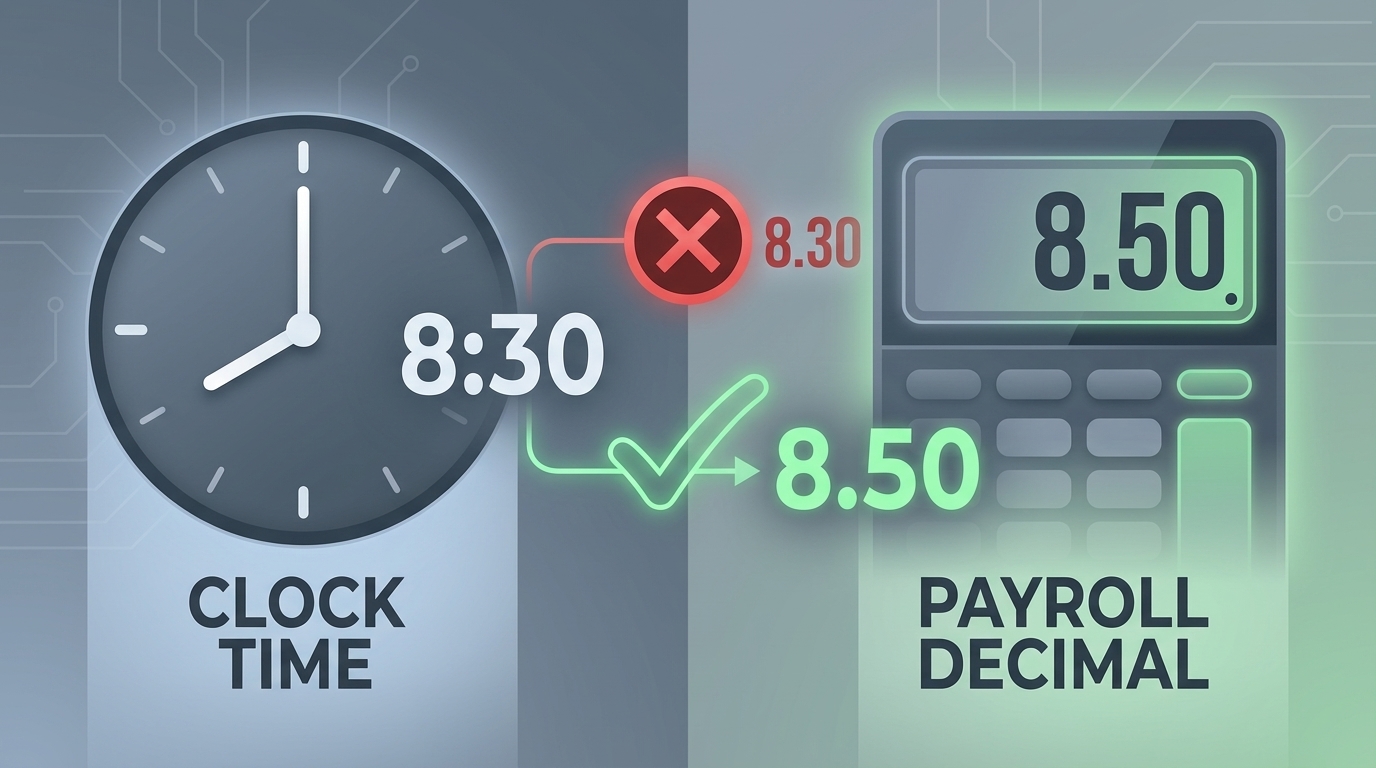
For HR professionals, payroll administrators, and business owners leveraging ADP's robust payroll systems, accurate timekeeping is paramount. While employees typically clock in and out using traditional hours and minutes (e.g., 8 hours and 30 minutes), ADP, like many modern payroll software, often prefers or requires time to be recorded in a decimal format (e.g., 8.5 hours). This conversion is crucial for precise wage calculations, overtime determination, and ensuring compliance with labor laws. In 2025, maintaining this accuracy is more important than ever.
This guide will demystify the process of converting minutes to decimals for ADP payroll, highlighting why it's essential and introducing MyShiftCalc as an indispensable tool to streamline this often-tedious task.
Why Decimal Time is Essential for ADP Payroll
ADP payroll systems are designed to process vast amounts of data efficiently. When time is entered in decimals, calculations for regular pay, overtime, and leave are simplified, reducing the margin for human error. For instance, calculating 1.5 times the hourly rate for overtime is straightforward with 8.5 hours but becomes cumbersome with 8 hours and 30 minutes. Decimal time ensures consistency across all employee records and facilitates automated processing, leading to quicker and more accurate payroll cycles.
The Manual Conversion Method: A Quick Refresher
Before diving into automated solutions, it's helpful to understand the basic mathematical principle behind converting minutes to decimals. Since there are 60 minutes in an hour, you simply divide the number of minutes by 60.
Formula: Decimal Hours = Minutes / 60
For example:
- 15 minutes = 15 / 60 = 0.25 hours
- 30 minutes = 30 / 60 = 0.50 hours
- 45 minutes = 45 / 60 = 0.75 hours
- 6 minutes = 6 / 60 = 0.10 hours
While this method works for individual entries, imagine performing this for dozens or hundreds of employees, several times a week. The potential for error and the time consumed quickly become significant.
Introducing MyShiftCalc: Your Automated Solution for ADP
MyShiftCalc is an intuitive online tool specifically designed to simplify time card calculations, making the conversion of minutes to decimals effortless and accurate for payroll professionals using ADP. It eliminates the manual calculations, potential errors, and time drain, allowing you to focus on other critical payroll functions. MyShiftCalc ensures that the decimal values you input into ADP are always precise and compliant.
How to Use MyShiftCalc for ADP Time Conversion
Using MyShiftCalc to convert minutes to decimals for your ADP payroll is incredibly straightforward. Follow these simple steps:
- Access MyShiftCalc: Navigate to the MyShiftCalc website.
- Input Time Data: You'll typically find input fields for hours and minutes. For simple minute-to-decimal conversion, you might just need to enter the minutes. If you're calculating a total shift, you'd input start and end times, and the tool will calculate the total minutes worked.
- Specify Minutes: Enter the number of minutes you need to convert (e.g., "30" for thirty minutes, or the total minutes of a shift).
- Get Instant Conversion: MyShiftCalc will immediately display the corresponding decimal value. For example, entering "30" minutes will output "0.50" hours.
- Transfer to ADP: Copy the generated decimal value and paste it into the relevant time entry field within your ADP payroll system.
MyShiftCalc handles the division and presents the result in a clean, ADP-ready format, saving you precious time and ensuring mathematical accuracy every single time.
Common Minute Increments and Their Decimal Equivalents
While MyShiftCalc handles any minute value, here's a quick reference for common increments you might encounter, especially with time clock rounding policies:
- 1 minute = 0.02 hours
- 5 minutes = 0.08 hours
- 6 minutes = 0.10 hours
- 10 minutes = 0.17 hours
- 12 minutes = 0.20 hours
- 15 minutes = 0.25 hours
- 18 minutes = 0.30 hours
- 20 minutes = 0.33 hours
- 24 minutes = 0.40 hours
- 30 minutes = 0.50 hours
- 36 minutes = 0.60 hours
- 45 minutes = 0.75 hours
Understanding State Laws and Wage Regulations (2025 Considerations)
While the conversion process itself is mathematical, its application in payroll is heavily regulated. In 2025, compliance remains critical. The Fair Labor Standards Act (FLSA) sets federal guidelines for wages and hours, including rules around time rounding. Many states, however, have their own specific laws that can be more stringent than federal requirements.
- FLSA Rounding Rule: Federally, employers may round employee start and end times to the nearest 5, 6, or 15 minutes, provided that over time, the rounding averages out so that employees are fully compensated for all time actually worked. The most common is the "7-minute rule," where time can be rounded up or down to the nearest quarter-hour (15 minutes). For example, if an employee clocks in at 8:07 AM, it can be rounded to 8:00 AM. If they clock in at 8:08 AM, it can be rounded to 8:15 AM.
- State-Specific Rules: States like California, New York, and others have very specific and often stricter rules on time rounding, with some jurisdictions virtually prohibiting any rounding that consistently benefits the employer. For instance, California generally requires employers to record the exact time worked and prohibits rounding that doesn't accurately reflect all hours worked.
- Impact on Overtime: Incorrect minute-to-decimal conversions or non-compliant rounding can lead to underpayment of wages, especially overtime, resulting in significant legal penalties, back pay, and damages.
It is imperative for businesses to consult their state's labor laws and consider local ordinances to ensure their timekeeping and payroll practices, including the use of decimal conversion, are fully compliant. MyShiftCalc helps with the conversion, but the policy on rounding and its legality rests with the employer.
The Formulas Used by MyShiftCalc (and Payroll Professionals)
The core of MyShiftCalc's functionality for minute-to-decimal conversion is based on a simple, universal mathematical formula:
Decimal Hours = Total Minutes / 60
When you input "30 minutes," MyShiftCalc performs the calculation: `30 / 60 = 0.50`. If you input total minutes for a shift, say 495 minutes (8 hours and 15 minutes), the calculation would be `495 / 60 = 8.25`. The tool applies this formula consistently and accurately. MyShiftCalc typically presents results with two decimal places, which is the standard precision required for most ADP payroll entries, ensuring readability and accuracy for wage calculations.
Benefits of Using MyShiftCalc for ADP Payroll
Integrating MyShiftCalc into your payroll process offers numerous advantages:
- Enhanced Accuracy: Eliminates human error in manual calculations.
- Time Savings: Drastically reduces the time spent on converting minutes to decimals.
- Compliance Support: Helps ensure that time entries are correctly formatted for ADP, supporting accurate wage and hour compliance.
- Reduced Risk: Minimizes the potential for costly payroll errors, underpayments, or overpayments.
- Streamlined Workflows: Simplifies data entry into ADP, leading to more efficient payroll processing.
- Audit Readiness: Accurate, consistent time records are essential for internal audits and external labor department inquiries.
Future-Proofing Your Payroll: Staying Compliant in 2025 and Beyond
As labor laws evolve, particularly concerning wage transparency and fair pay, precise timekeeping becomes an even greater focal point for regulatory bodies. Utilizing tools like MyShiftCalc not only addresses current needs but also helps future-proof your payroll operations by maintaining a high standard of accuracy and compliance. Staying informed about changes in federal and state labor laws, alongside using reliable conversion tools, will be key to successful payroll management in 2025 and beyond.
Converting minutes to decimals is a fundamental step in accurate payroll processing for ADP users. While the manual method is simple, the potential for error and the time commitment quickly make it inefficient for businesses of any size. MyShiftCalc offers a robust, easy-to-use solution, ensuring your time entries are always precise, compliant, and ready for ADP, allowing you to manage your payroll with confidence and efficiency.